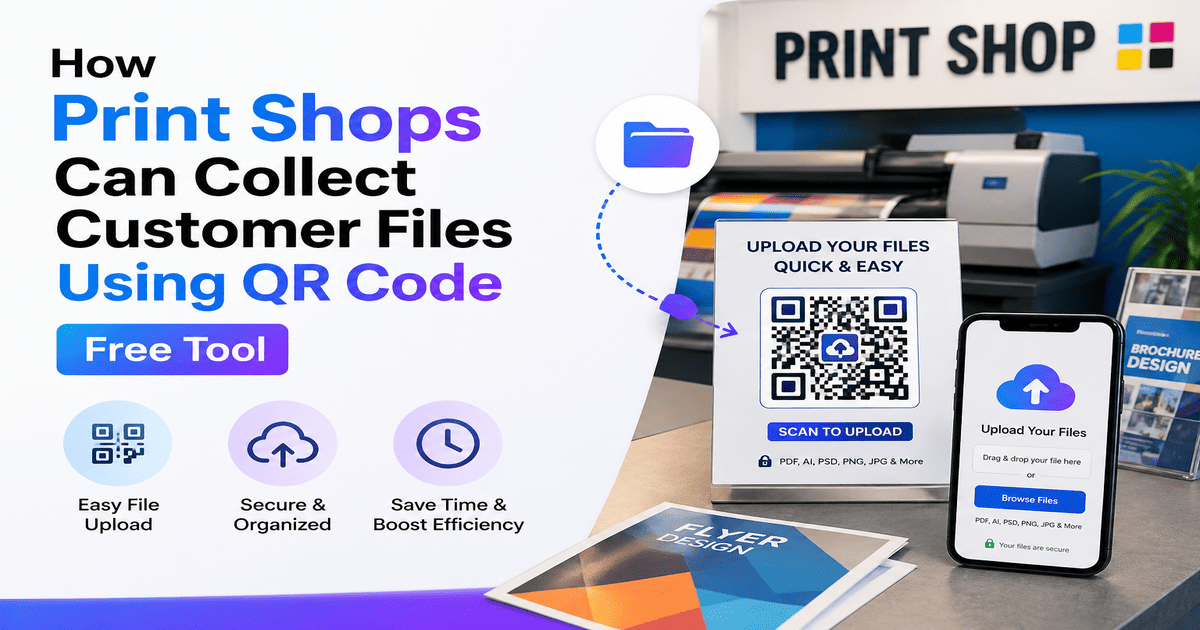
Print shop owners: stop asking customers to send files on WhatsApp. Filexly lets you collect print files using QR Code — for free, no app needed, no number sharing.
How to Set Up Filexly for Your Print Shop — Right Now
1. Go to filexly.com — open on your PC or phone
2. Sign The Daily Struggle at Every Print Shop Counter
If you run a print shop, you know this scene too well:
A customer walks in. “Bhaiya, ek document print karna hai.”
“WhatsApp pe bhej do.”
And then begins the real problem:
→ Customer is uncomfortable sharing their personal number
→ Your phone gallery fills up with random files
→ Files get lost in chat history
→ Female customers feel especially unsafe sharing numbers with strangers
→ You waste 2–3 minutes per customer just on file transfer
Multiply this by 30 customers a day — that is over 1 hour of pure wasted time. Every. Single. Day.
There is a smarter, faster, and more professional solution: collect print files using QR Code with Filexly.
What is Filexly and How Does It Work for Print Shops?
Filexly is a free, web-based file collection tool made for Indian small businesses. It is specifically designed to replace WhatsApp file sharing at the counter.
Here is the entire workflow at your print shop:
1. One-time setup (5 minutes): Register at filexly.com → Generate a QR code → Print it and stick it at your counter.
2. Customer scans: Customer opens phone camera → Scans the QR code → An upload page opens instantly on their phone. No app. No login.
3. Customer uploads: They select their file — PDF, Word document, JPG, photo — and tap Send. Done in under 10 seconds.
4. You download: The file appears in your Filexly dashboard on your PC. Click to preview or download. Print. Job done.
No WhatsApp. No number saving. No file hunting in chat history. Just fast, clean, professional file collection.
What Files Can Print Shops Receive via QR Code?
Filexly supports every format your print shop will ever need:
→ PDF files — mark sheets, certificates, government forms, admit cards
→ Photos — JPG, PNG, HEIC (including iPhone photos)
→ Documents — DOCX, PPTX, Excel sheets
→ Multiple files at once — up to 10 files per session, up to 100MB total
Why This Is Better Than WhatsApp for Print Shops
No personal number sharing — Customers never have to give their WhatsApp number. They just scan and upload. This is especially important for female customers.
Your work phone stays clean — No random documents flooding your personal gallery. All files go to a separate, organized professional dashboard.
Faster counter service — No waiting for WhatsApp messages to arrive, no searching in chat history. File appears on your dashboard in seconds.
Auto-delete for privacy — Files are automatically deleted from Filexly servers within 24–48 hours. No risk of customer data staying on your system permanently.
Multiple counters, multiple QR codes — Have a large shop with 2 or 3 counters? Create a separate QR code for each counter with the Pro plan.
Real Print Shop Scenario — Before vs After Filexly
BEFORE: “Bhaiya WhatsApp number dijiye.” Customer hesitates. Shares number. You save unsaved contact. File takes 30 seconds to arrive. You hunt for it in chat. Print. Then delete — or forget to delete. File stays in gallery forever.
AFTER: “Bhaiya yeh QR scan karo.” Customer scans. Uploads in 10 seconds. File appears on your PC. You print. Done. No number exchange. No clutter.
Filexly Free vs Pro — What Does a Print Shop Need?
Free Plan (₹0/month) — 4 QR codes, 100MB upload, auto-delete. Perfect for a single-counter print shop starting out.
Pro Plan (₹29/month) — 30 QR codes, your shop name and verified badge shown to customer on their phone screen, instant Telegram notifications when a file arrives. Ideal for established print shops.
At ₹29/month, that is less than the cost of one A4 printout. The upgrade pays for itself in the first hour.
up for free — email + password, 2 minutes
3. Go to dashboard → Create QR Code → Name it (e.g., “Print Counter 1”)
4. Download the QR code → Print it on A5 paper or any size → Laminate and stick at counter
5. Tell your next customer — “Scan karke file bhej do” — and watch it work
That is it. Your print shop is now running professionally.
Frequently Asked Questions
Q: Does the customer need to install any app?
A: No. Filexly works entirely in the browser. Customer just scans the QR code and the upload page opens directly. No Play Store, no App Store, no installation.
Q: What if the customer’s phone does not have a QR scanner?
A: Every modern smartphone — Android and iPhone — has a built-in QR code scanner in the camera app. Customers can also use any UPI app scanner like Google Pay, PhonePe, or Paytm.
Q: Is Filexly free forever?
A: Yes, the Free Plan is completely free with no expiry. The Pro Plan (₹29/month) adds branding and more QR codes for growing businesses.
Q: Are my customer’s files safe?
A: Yes. Files are automatically deleted from Filexly’s servers within 24–48 hours. You download what you need and the file is gone. No permanent storage of customer data.
Conclusion
If you run a print shop and you are still asking customers to send files on WhatsApp, you are losing time, privacy, and professionalism with every customer.
Filexly fixes this in one scan. For free.
Set it up today at filexly.com and tell your next customer — “Yahan scan karo.”