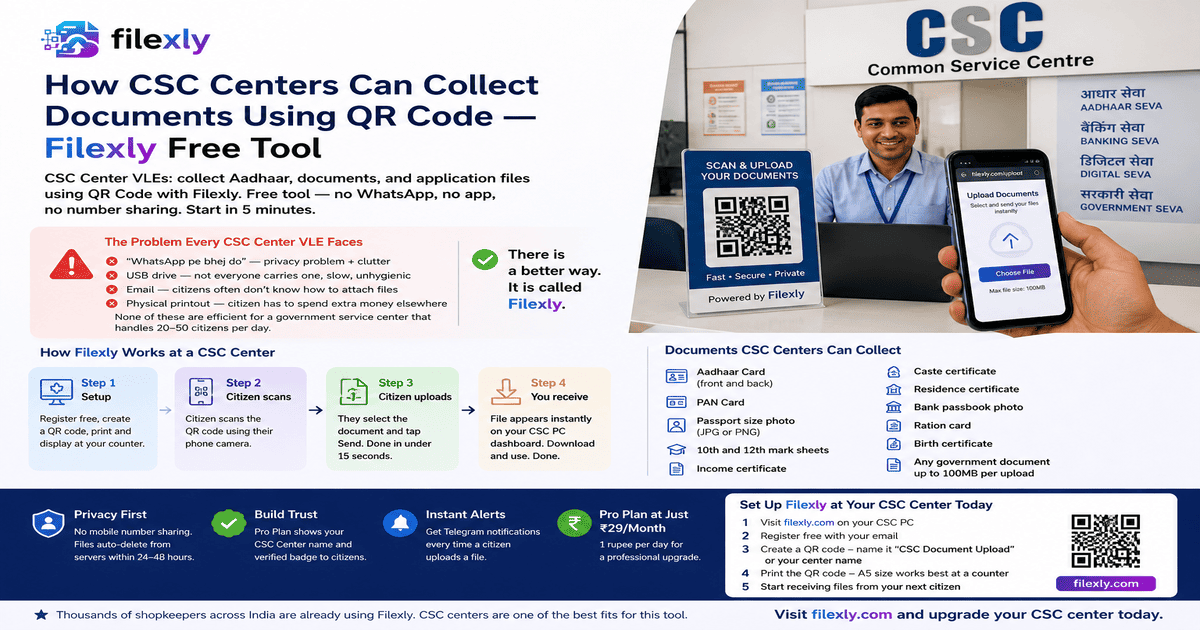
CSC Center VLEs: collect Aadhaar, documents, and application files using QR Code with Filexly. Free tool — no WhatsApp, no app, no number sharing. Start in 5 minutes.
The Problem Every CSC Center VLE Faces
As a Common Service Centre (CSC) Village Level Entrepreneur (VLE), your daily work involves collecting documents from citizens — Aadhaar cards, PAN cards, income certificates, caste certificates, photos, mark sheets, and dozens of other files for government applications.
And every day, the file collection process looks like this:
→ “WhatsApp pe bhej do” — privacy problem + clutter
→ USB drive — not everyone carries one, slow, unhygienic
→ Email — citizens often don’t know how to attach files
→ Physical printout — citizen has to spend extra money elsewhere
None of these are efficient for a government service center that handles 20–50 citizens per day. There is a better way. It is called Filexly.
Why CSC Centers Are the Perfect Use Case for QR Code File Collection
CSC centers handle exactly the kind of work where Filexly shines most:
→ Citizens bring phones with documents already saved
→ You need the file on your PC, not on your personal WhatsApp
→ Multiple different applications running simultaneously at the counter
→ Citizen privacy matters — especially for sensitive government documents
→ You serve elderly citizens and women who are uncomfortable sharing phone numbers
Filexly solves all of this with one QR code placed at your CSC counter.
How Filexly Works at a CSC Center
Step 1 — Setup (One time, 5 minutes): Register free at filexly.com → Create a QR code for your CSC center → Print and display it at your counter.
Step 2 — Citizen scans: The citizen opens their phone camera and scans the QR code. No app needed. A simple upload page opens on their phone.
Step 3 — Citizen uploads: They select the required document — Aadhaar, photo, certificate — and tap Send. Done in under 15 seconds.
Step 4 — You receive: The file appears instantly on your CSC PC dashboard. Download and use for the application. Done.
Documents CSC Centers Can Collect via Filexly QR Code
→ Aadhaar Card (front and back as separate files or combined PDF)
→ PAN Card
→ Passport size photo (JPG or PNG)
→ 10th and 12th mark sheets
→ Income certificate / Caste certificate / Residence certificate
→ Bank passbook photo
→ Ration card
→ Birth certificate
→ Any government document up to 100MB per upload
Privacy Benefits for CSC Centers — Especially Important
CSC centers serve all sections of society. This creates specific privacy challenges:
Female citizens are often hesitant to share their personal mobile number with a male VLE at the counter. With Filexly, they never have to. They just scan and upload.
Elderly citizens may not know how to use WhatsApp or email. Filexly’s upload page is a simple, clean mobile form — nothing to configure, nothing to log into.
Sensitive documents like Aadhaar, PAN, and income certificates are auto-deleted from Filexly servers within 24–48 hours. You download what you need, and the file is gone.
Pro Plan — Especially Useful for CSC Centers
With the Filexly Pro Plan at just ₹29/month:
→ Your CSC Center name appears on the citizen’s phone when they scan — builds instant trust
→ Verified badge shown to citizen — they know they are uploading to an authorized service center
→ 30 QR codes — useful if you have multiple service windows or different application types
→ Telegram notifications — instant alert on your phone every time a citizen uploads a file
For a CSC center, ₹29/month means ₹1 per day. Less than the cost of a single printout.
Comparison: Filexly vs WhatsApp for CSC Centers
Speed: WhatsApp — 1–3 minutes per citizen. Filexly — under 15 seconds.
Privacy: WhatsApp — requires number sharing. Filexly — zero number sharing.
Organization: WhatsApp — files buried in chat. Filexly — separate organized dashboard.
Professional image: WhatsApp — personal app. Filexly — dedicated government-style service tool.
File quality: WhatsApp — compresses images. Filexly — original file quality preserved.
Set Up Filexly at Your CSC Center Today
1. Visit filexly.com on your CSC PC
2. Register free with your email
3. Create a QR code — name it “CSC Document Upload” or your center name
4. Print the QR code — A5 size works best at a counter
5. Start receiving files from your next citizen
Thousands of shopkeepers across India are already using Filexly. CSC centers are one of the best fits for this tool.
Visit filexly.com and upgrade your CSC center today.